












How To Use Outbrain Dynamic Titles To Personalize Native Ad Headlines
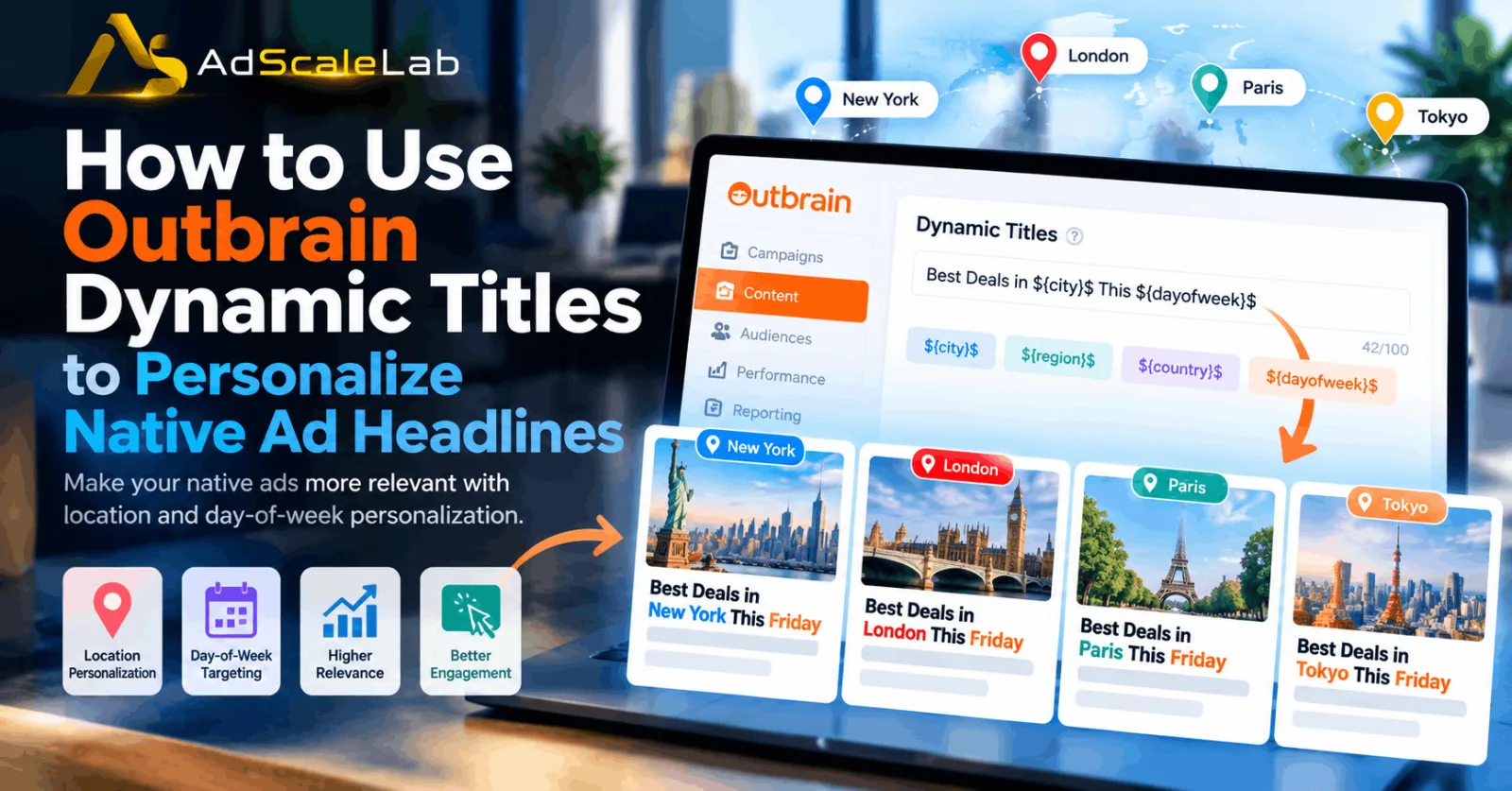
Outbrain Dynamic Titles give advertisers a simple way to make native ad headlines more relevant to the person seeing them. Instead of showing exactly the same headline to everyone, advertisers can use supported dynamic parameters to insert information such as a user's country, region, city, or the day of the week.
This can be useful when location or timing is important to the offer. A local business, for example, may want a person in Chicago to see a headline mentioning Chicago rather than a generic headline. A retailer running a weekly promotion may also want the day of the week to appear automatically.
The idea is simple, but using Dynamic Titles correctly requires more than putting a location into a headline. The dynamic text needs to make sense, the landing page needs to support the message, and the headline still needs to follow Outbrain's creative requirements.
In this guide, we will look at how to use Outbrain Dynamic Titles, which personalization options are available, how to write them correctly, and what advertisers should check before launching a campaign.
What Are Outbrain Dynamic Titles?
Outbrain Dynamic Titles are a feature that allows advertisers to add dynamic information to native ad headlines.
Instead of creating a separate headline for every location or day, an advertiser can use a supported parameter. Outbrain then replaces that parameter with the relevant value when the ad is displayed.
A normal headline could say: “Discover Local Shopping Deals.” With a city-based Dynamic Title, it could become: “Discover the Best Deals in Chicago” for a user in Chicago.
Outbrain's advertiser documentation currently lists four Dynamic Title parameters:
${country}$${region}$${city}$${dayofweek}$
The platform also supports adding days to the day-of-week parameter, such as ${dayofweek+3}$.
How to Use Outbrain Dynamic Titles
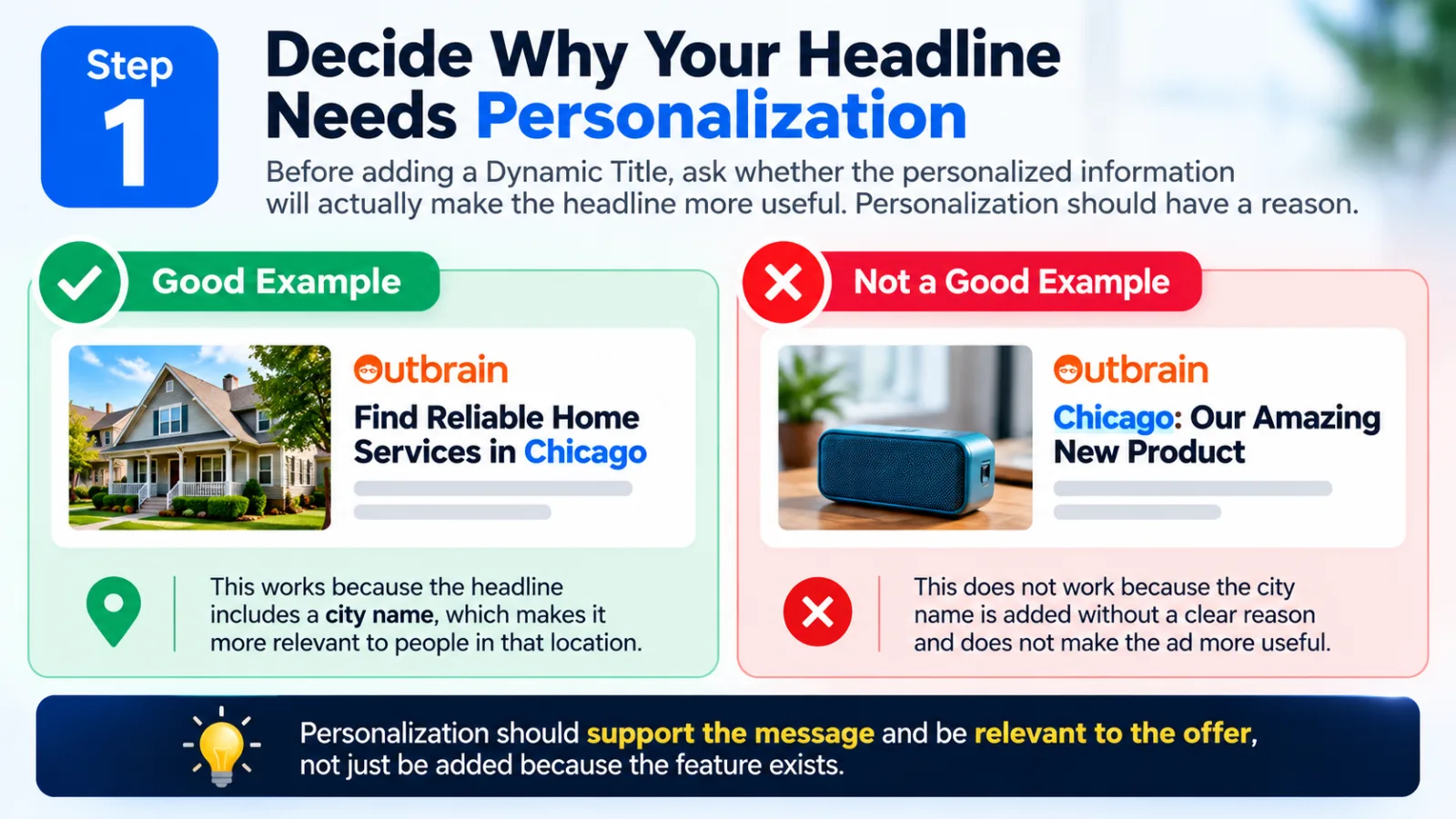
Step 1: Decide Why Your Headline Needs Personalization
Before adding a Dynamic Title, ask whether the personalized information will actually make the headline more useful. Personalization should have a reason. For example, a local business may benefit from a city reference because the service is available in that city. Adding a city just because the feature exists does not automatically make an advertisement better.
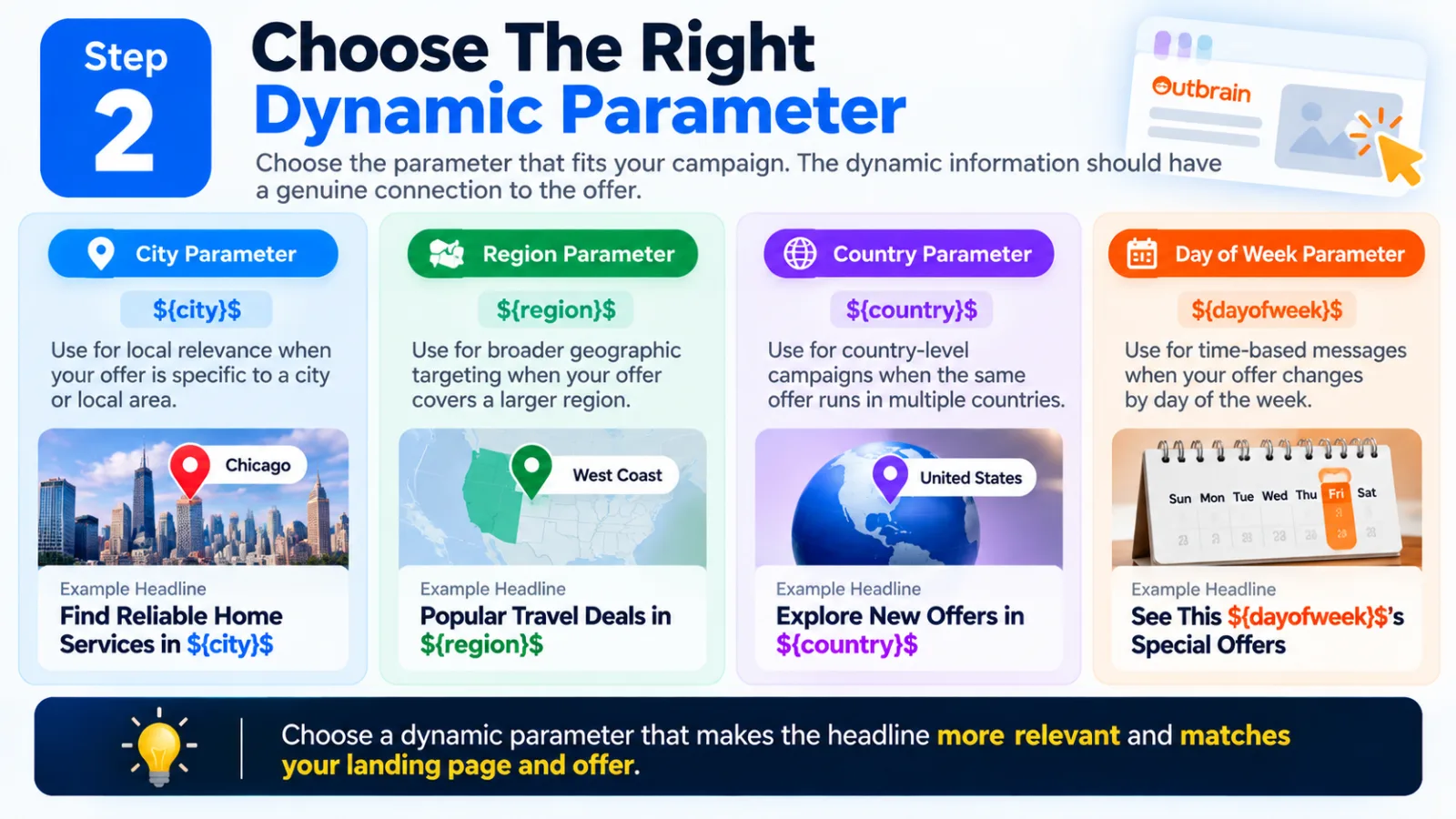
Step 2: Choose The Right Dynamic Parameter
Choose the parameter that fits your campaign. Use ${city}$ for local relevance, ${region}$ for broader geographic targeting, ${country}$ for country-level campaigns, and ${dayofweek}$ for time-based messages. The dynamic information should have a genuine connection to the offer.
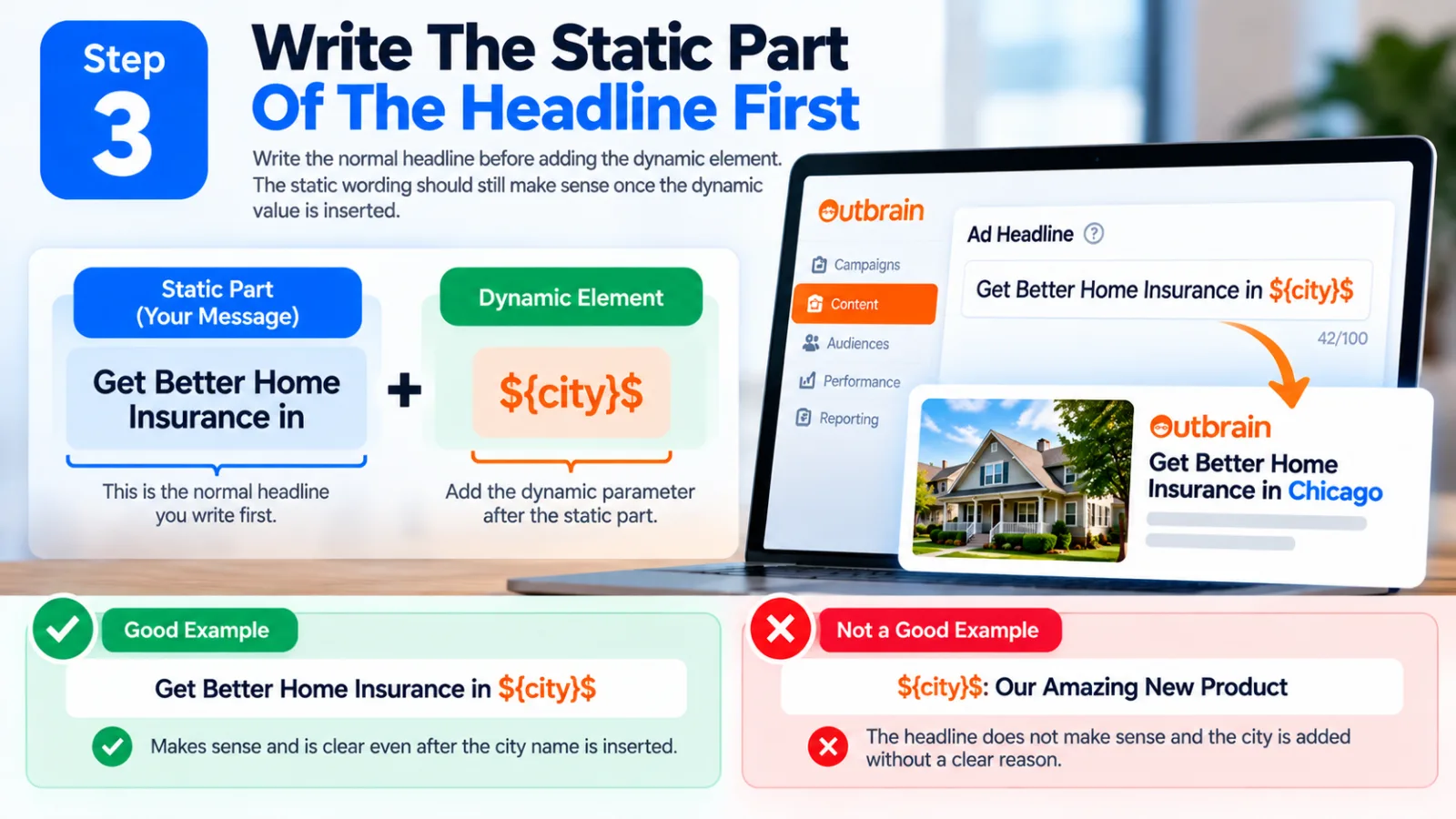
Step 3: Write The Static Part Of The Headline First
Write the normal headline before adding the dynamic element. For example: “Get Better Home Insurance in ${city}$.” The static wording should still make sense once the dynamic value is inserted.
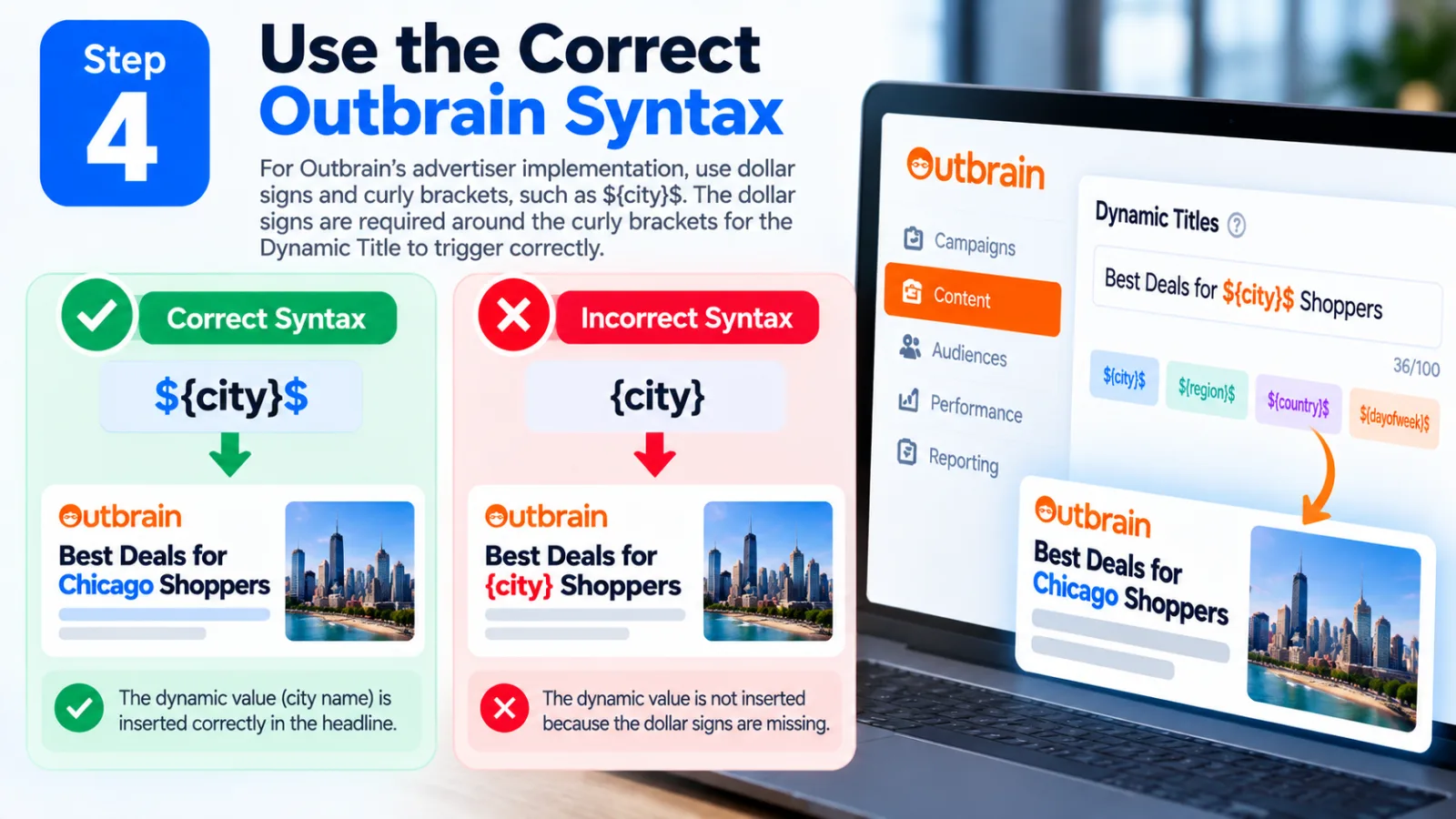
Step 4: Use the Correct Outbrain Syntax
For Outbrain's advertiser implementation, the documented format uses dollar signs and curly brackets, such as ${city}$. The dollar signs are required around the curly brackets for the Dynamic Title to trigger correctly.
Step 5: Make Sure The Landing Page Matches The Dynamic Headline
This is where advertisers should be careful.
Imagine your headline says:
Best Deals for ${city}$ Shoppers
but the landing page has no mention of the location and provides no local information.
The ad may feel personalized, but the experience after the click may feel generic.
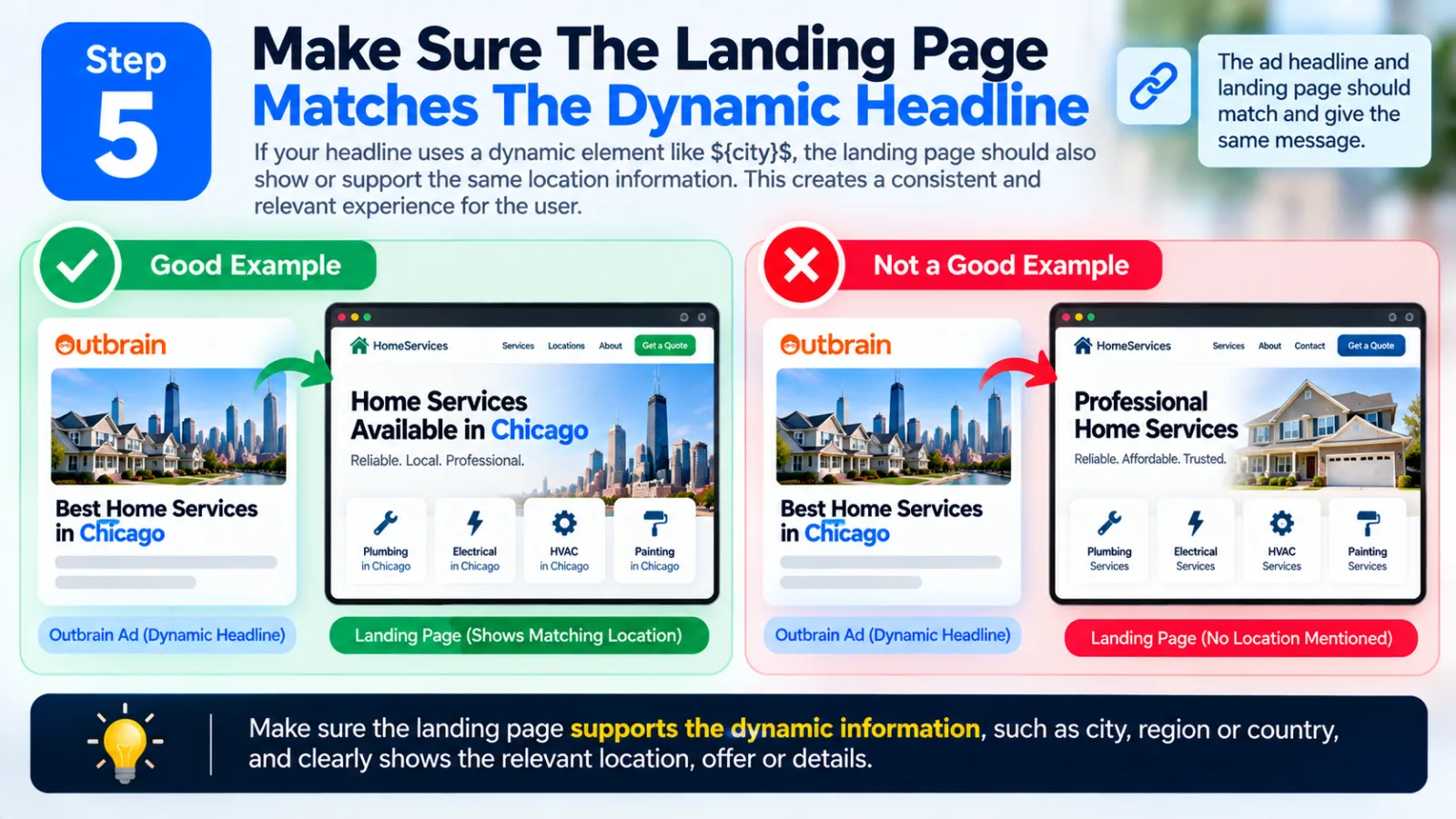
Outbrain specifically states that when location Dynamic Titles are used, the landing page needs to provide a way for users to select their location or be dynamic enough to populate or mention the user's location.
So if your headline uses:
${city}$
consider whether the landing page also supports the same location context.
For example:
Ad:Best Home Services in ${city}$
Landing page:Home Services Available in Chicago
That creates a much more consistent experience.
The same principle applies to offers.
If the headline suggests a local discount, the landing page should make it clear whether that discount actually applies in that location.
Step 6: Keep The Headline Short Enough
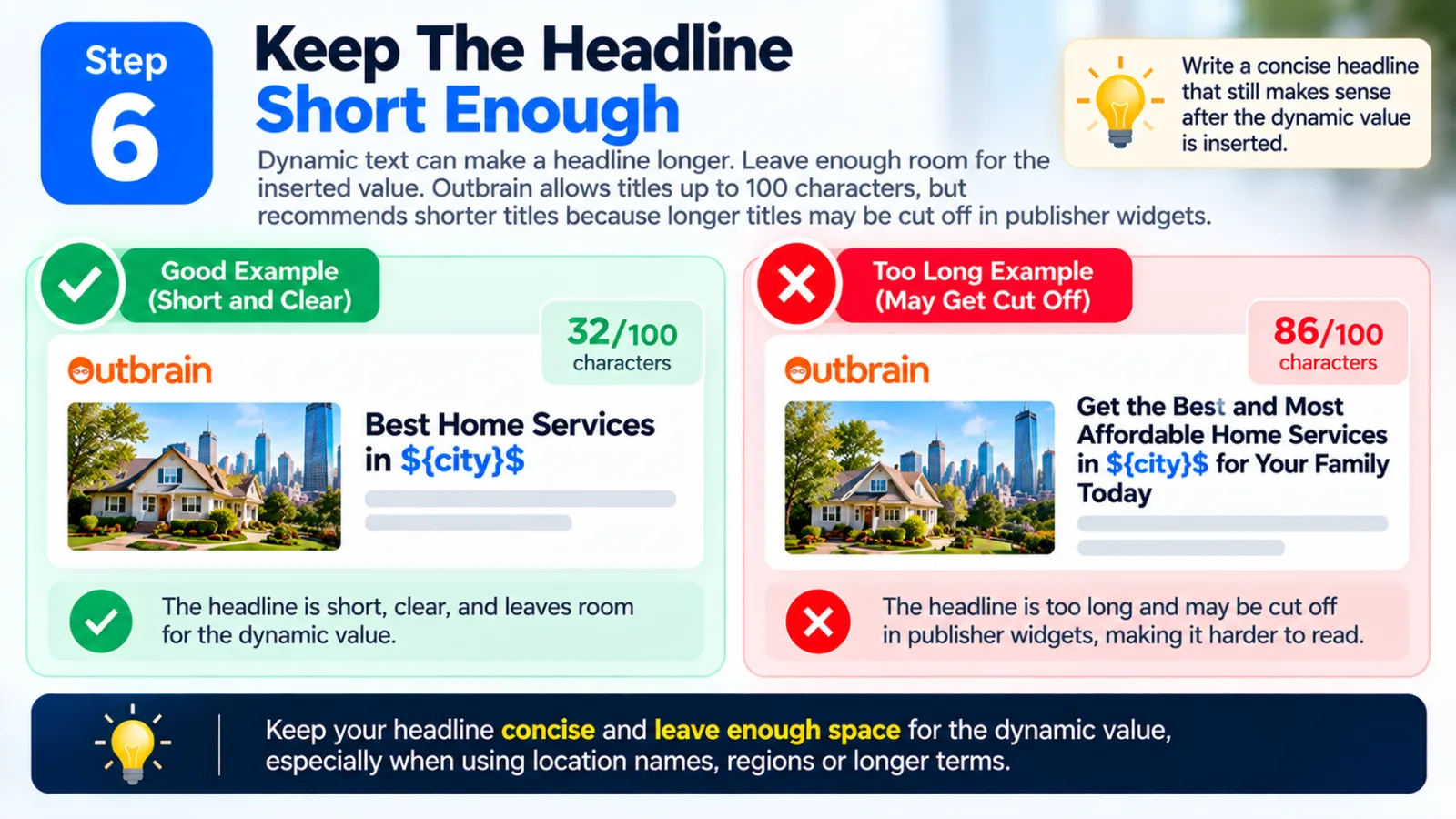
Dynamic text can make a headline longer. Leave enough room for the inserted value. Outbrain allows titles up to 100 characters, but recommends shorter titles because longer titles may be cut off in publisher widgets.
Step 7: Create Several Headline Variations
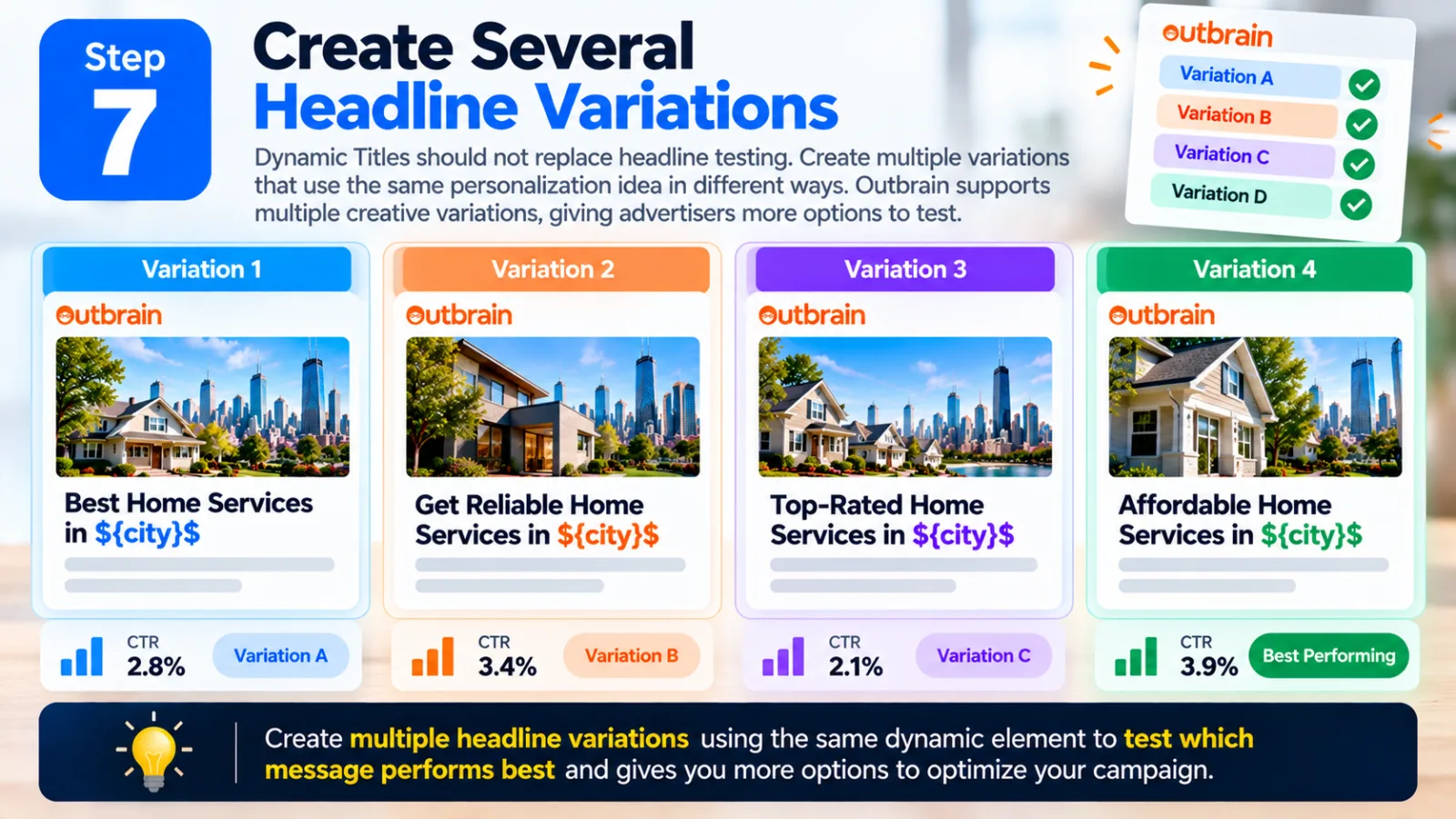
Dynamic Titles should not replace headline testing. Create multiple variations that use the same personalization idea in different ways. Outbrain supports multiple creative variations, giving advertisers more options to test.
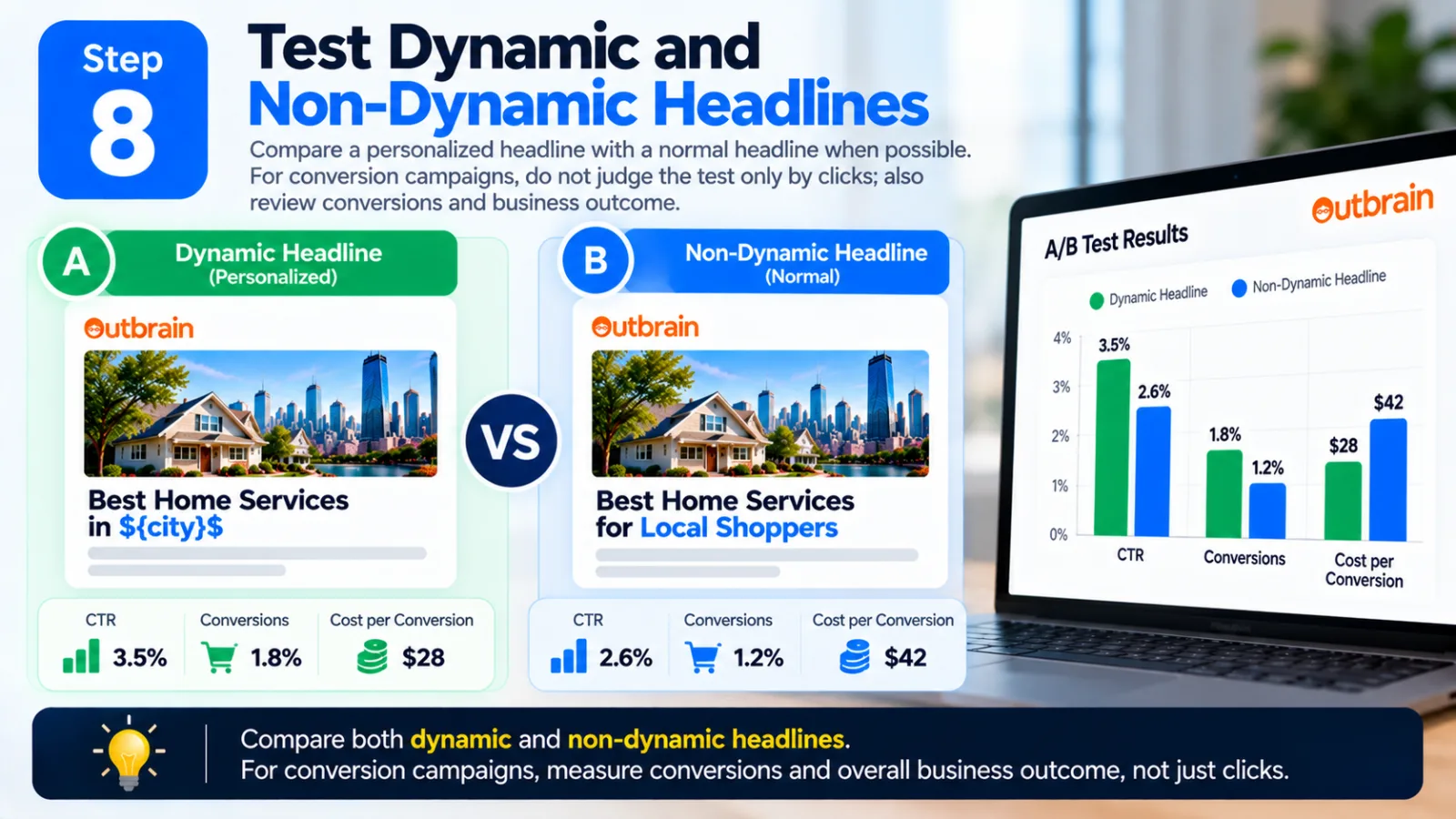
Step 8: Test Dynamic and Non-Dynamic Headlines
Compare a personalized headline with a normal headline when possible. For example, compare “Best Deals for ${city}$ Shoppers” with “Best Deals for Local Shoppers.” For conversion campaigns, do not judge the test only by clicks; also review conversions and business outcomes.
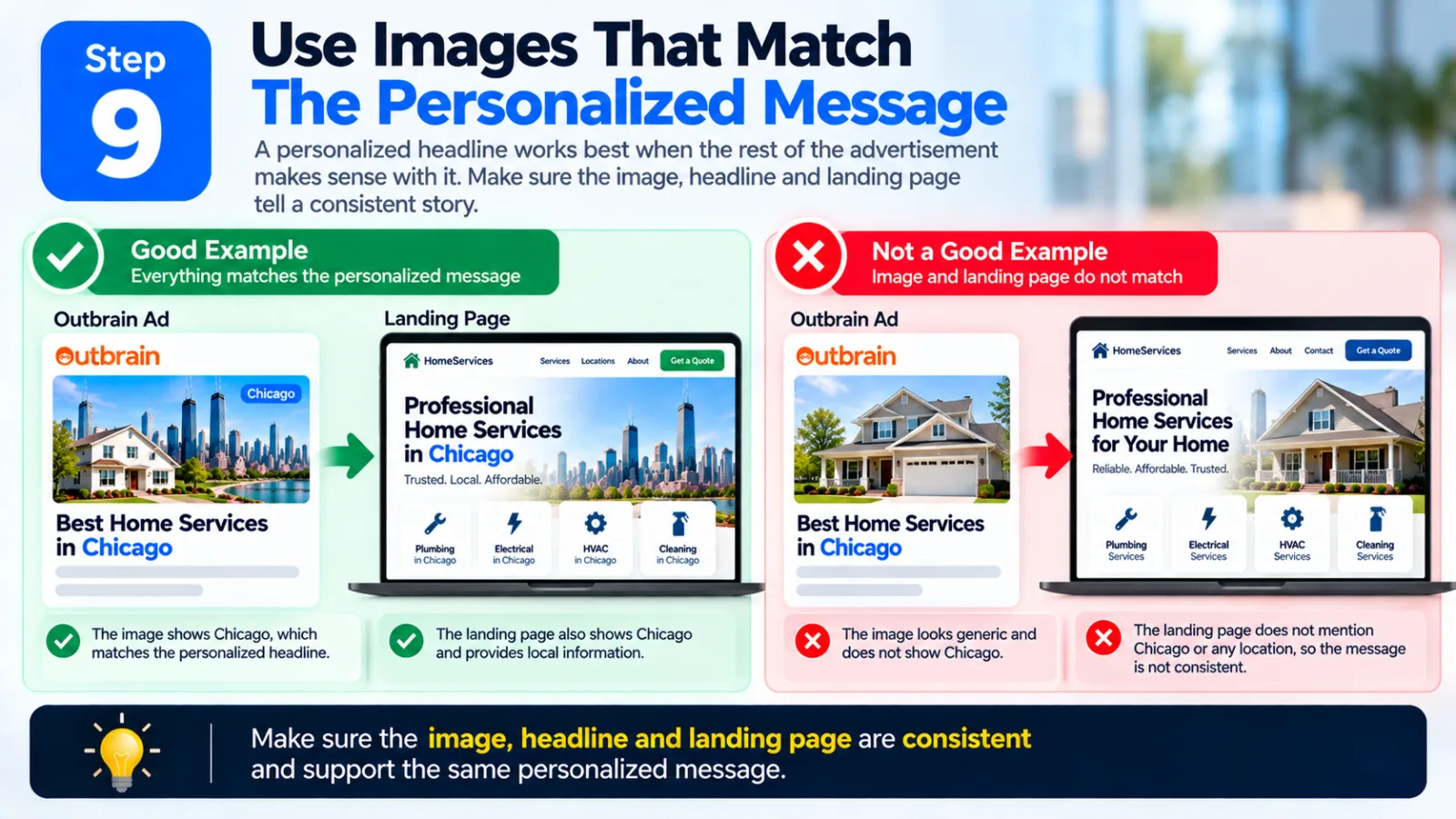
Step 9: Use Images That Match The Personalized Message
A personalized headline works best when the rest of the advertisement makes sense with it. Make sure the image, headline and landing page tell a consistent story.
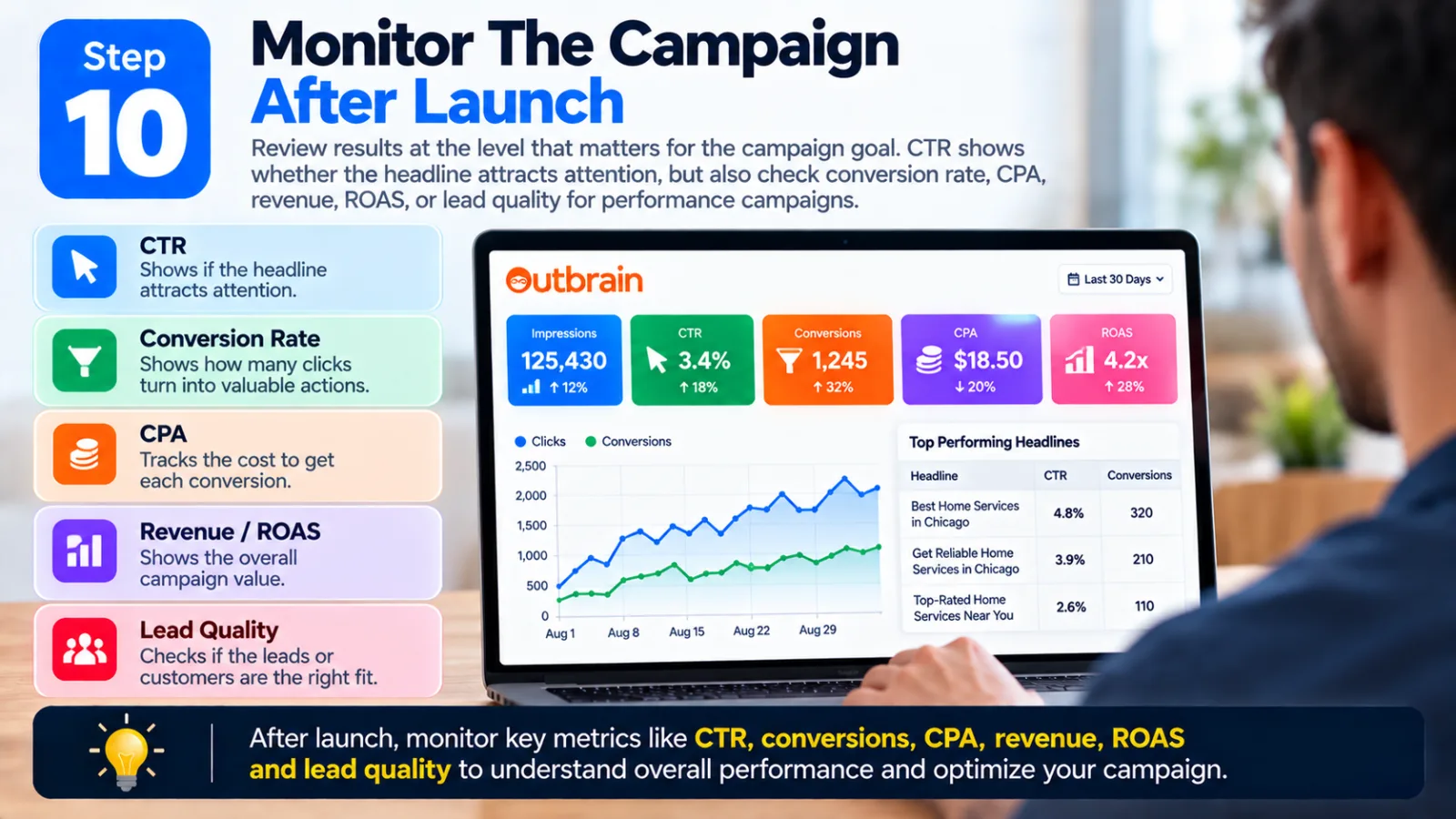
Step 10: Monitor The Campaign After Launch
Review results at the level that matters for the campaign goal. CTR can show whether the headline attracts attention, but conversion rate, CPA, revenue, ROAS, or lead quality may be more important for performance campaigns.
Examples Of Outbrain Dynamic Titles
|
Campaign Type |
Example Dynamic Headline |
|
Local services |
Find Trusted Services in ${city}$ |
|
Retail |
New Deals for ${city}$ Shoppers |
|
Travel |
Plan Your Next Trip From ${city}$ |
|
Events |
What's Happening in ${city}$ This ${dayofweek}$? |
|
Ecommerce |
See This Week's Deals in ${country}$ |
|
Local finance |
Explore Options for ${region}$ Customers |
|
Weekly promotion |
Don't Miss This ${dayofweek}$'s Offer |
These are examples, not guaranteed high-performing headlines. The right wording depends on the offer, audience, landing page and campaign objective.
Common Mistakes To Avoid With Outbrain Dynamic Titles
Using Personalization Without A Reason
Adding a city name does not automatically improve an ad. The location should have some connection to the offer.
Making The Headline Too Long
Leave enough space for the dynamic value because the final headline may be longer than the original.
Using The Wrong Syntax
For the Outbrain advertiser implementation documented in the Help Center, use the correct ${...}$ syntax.
Sending Users To an Unrelated Landing Page
If the headline mentions a location or local offer, the landing page should support that message.
Making Unsupported Claims
Personalization does not make a claim true. Avoid unsupported or misleading statements.
Testing Only CTR
CTR is useful, but conversion rate, CPA, revenue, ROAS and lead quality can matter more depending on the campaign goal.
How to Check Your Dynamic Titles Before Launch
1. Check the macro and make sure the parameter is written correctly.
2. Read the headline as a normal sentence and make sure it sounds natural after the dynamic value is inserted.
3. Check the maximum likely headline length, including longer city or region names.
4. Check the landing page and make sure it supports the location or offer referenced in the headline.
5. Check that the offer is actually available to the people who see it.
6. Create several headline variations rather than relying on a single creative.
7. Monitor campaign results and compare CTR with conversion and business metrics.
Why Dynamic Titles Can Be Useful For Native Advertising
Native advertising depends heavily on the relationship between the advertisement and the surrounding content. The headline is one of the first things a reader sees. A generic headline may work for a broad audience, but adding relevant context can make the message feel more specific.
For example, “Discover New Weekend Travel Deals” is broad, while “Discover Weekend Travel Deals From ${city}$” adds geographic context. That does not mean the personalized version will automatically perform better. It creates another creative angle that can be tested.
Outbrain has described Dynamic Titles as part of its broader ad-personalization approach and has highlighted location and day-of-week personalization as ways to make advertising more relevant.
Final Thoughts
Outbrain Dynamic Titles are a relatively simple feature, but they can give advertisers another way to personalize native ad headlines without manually creating a separate headline for every location or day.
The most important thing is not to treat Dynamic Titles as a shortcut to better performance. Start with a strong headline, decide whether personalization adds value, use the correct dynamic parameter, keep the final headline short enough, make sure the landing page supports the message and create multiple variations for testing. For location-based campaigns, ${city}$, ${region}$ and ${country}$ can add geographic context. For time-sensitive campaigns, ${dayofweek}$ can make a headline more relevant to the timing of the offer. The best approach is to treat personalization as one part of the creative strategy, not the entire strategy.
A personalized headline still needs to be clear. The image still needs to make sense. The landing page still needs to deliver what the headline promises. And the campaign still needs to be measured against the actual business goal.
Agency ad accounts, without the wait.
Buy and top up Google, Meta, native, and more from one dashboard.
Get started

No comments yet. Be the first to comment.
Comments are open to registered AdScaleLab clients.
Sign in to comment